Why Video Summarization is Essential for Professionals
The average professional wastes 4-6 hours weekly watching work-related videos at full length, searching for insights that could be extracted in minutes. When your manager forwards a 90-minute webinar with "watch before Thursday's meeting," you're forced into an impossible choice: sacrifice other priorities or arrive unprepared. This inefficiency cascades across organizations—delayed project decisions while teams catch up on training videos, missed market opportunities because competitor analysis sits unwatched in inboxes, and meeting time wasted rehashing content everyone should already know. Recent corporate learning studies reveal that 68% of employees skip assigned video content entirely due to time constraints, creating knowledge gaps that undermine team performance. The business cost is staggering: companies invest thousands in conference recordings and expert presentations that deliver minimal ROI because nobody completes them. What professionals desperately need is instant access to the core arguments, data points, and action items buried in these videos, along with searchable transcripts for quick reference during live discussions. Without efficient video digestion methods, you're either drowning in content backlogs or making decisions with incomplete information. The traditional approach of manual note-taking while watching is unsustainable when video assignments multiply faster than available hours, making automated summarization not just convenient but essential for competitive performance.
Essential YouTube Digestion Tools Explained
YouTube Video Summarizers
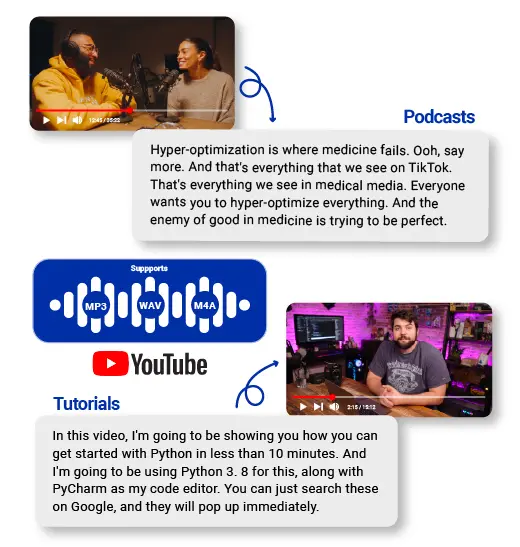
AI-powered summarizers analyze video transcripts to extract critical information, condensing hour-long content into digestible bullet points within seconds. Unlike manual note-taking where you might miss context while scribbling, these tools process entire videos simultaneously, identifying recurring themes, data citations, and conclusive statements. The technology recognizes speech patterns that signal importance—phrases like "the key takeaway" or "most significantly"—ensuring your quick video summaries capture what the speaker emphasized most. Modern summarizers also detect visual cues from on-screen text and presentation slides, creating comprehensive overviews that manual methods simply cannot match at speed.
Audio Transcription Solutions
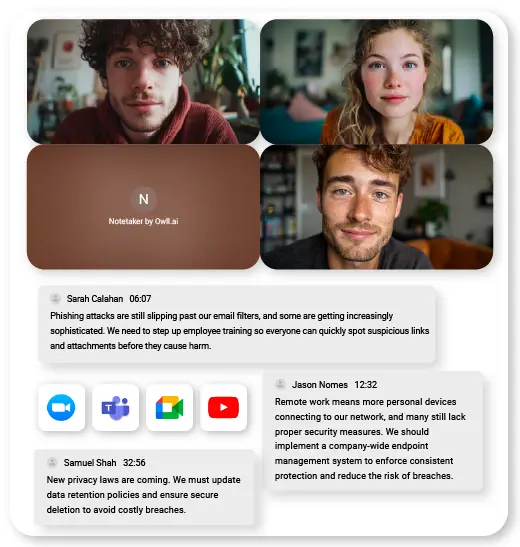
Today's transcription tools achieve 90-95% accuracy even with technical jargon and multiple speakers, transforming spoken content into searchable text documents. The real power emerges when you need to locate a specific statistic mentioned somewhere in a 70-minute recording—search the transcript for keywords instead of scrubbing through timelines. Advanced solutions like Owll AI handle accented English, industry terminology, and background noise that would derail basic speech-to-text software. For international teams, multilingual transcription supports processing videos in Spanish, Mandarin, or German, then outputs English text, eliminating language barriers without requiring separate translation steps.
YouTube Video Translator Features
Professional-grade YouTube video translators don't just convert words—they preserve meaning, tone, and technical accuracy across languages. Real-time translation generates subtitles as videos play, enabling live comprehension during virtual meetings when colleagues share foreign-language content. The best tools maintain industry-specific context, recognizing that "cloud migration" in a tech video requires different translation than "cloud formation" in meteorology content. Automatic subtitle generation creates downloadable files you can distribute to global team members before meetings, ensuring everyone arrives with equal understanding regardless of their native language.
Step-by-Step: Using YouTube Video Translators & Summarizers
Step 1: Selecting Your Tool
Start by evaluating processing speed—tools that generate summaries within 30-60 seconds work best for last-minute meeting prep, while batch processors suit weekly content reviews. Check export format compatibility with your workflow: PDF outputs integrate seamlessly with email briefs, while markdown formats feed directly into project management platforms. For confidential client presentations or proprietary training videos, verify the tool's security certifications and data retention policies—some free services store processed content indefinitely, creating compliance risks. Calculate actual costs against time saved: a $15 monthly subscription pays for itself if it recovers just two hours of your billable time.
Step 2: Processing Video Content
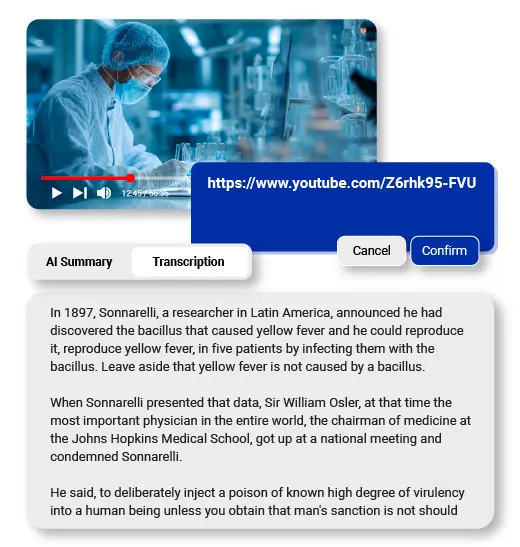
Copy the YouTube URL and paste it directly into your chosen tool's input field—avoid downloading videos first, which wastes storage and time. Set summary length parameters based on meeting context: executive briefings need 3-5 bullet points, while team training sessions benefit from detailed 300-word overviews with timestamps. When processing playlists of related videos, use batch mode to generate a consolidated summary showing how concepts build across multiple recordings, rather than treating each video as isolated content. For videos with poor audio quality, enable enhanced processing modes that cross-reference auto-generated captions with speech recognition for improved accuracy.
Step 3: Customizing Outputs
Review the generated summary and manually highlight segments containing data, deadlines, or action items that require team discussion. Add timestamp markers to controversial points or complex explanations where colleagues might need to watch the original 2-3 minute clip for full context. If using translation features, scan the output for industry terminology that may have been literally translated—adjust phrases like "customer pain points" that might appear as awkward direct translations in target languages. Create custom tags for recurring themes across multiple video summaries, making it easier to compile comprehensive pre-meeting briefing documents.
Step 4: Exporting for Meetings
Export summaries as formatted documents and post them directly in your team's Slack channel or Microsoft Teams meeting thread 24 hours before scheduled discussions, giving everyone adequate review time. Convert key points into agenda items within your meeting scheduler, linking each topic to its corresponding video timestamp for quick reference. Enable collaborative commenting on shared summary documents so team members can flag questions or add context before the meeting starts, transforming passive video consumption into active preparation. For recurring video content like weekly industry updates, create template formats that standardize how summaries appear, reducing cognitive load when your team reviews multiple digests simultaneously.
Maximizing Transcripts for Meeting Efficiency
Once you have a full transcript, use your document editor's search function (Ctrl+F) to instantly locate specific statistics, competitor names, or technical terms mentioned anywhere in the video—eliminating the need to rewatch entire segments. When preparing for client meetings, search for keywords like "budget," "timeline," or "risk" to extract all relevant mentions into a single reference document. Collaborative annotation platforms like Google Docs or Notion allow team members to highlight different transcript sections simultaneously, with color-coded comments indicating questions, action items, or points requiring clarification. Transform raw transcripts into structured talking points by copying key paragraphs into your meeting agenda, then adding your own context notes directly beneath each quote. This creates a hybrid document where original source material sits alongside team interpretations, preventing misunderstandings about what the video actually said. During live meetings, keep the searchable transcript open on a second screen for real-time fact-checking—when someone asks "didn't the speaker mention Q3 projections?" you can search and confirm within seconds rather than promising to "circle back later." Combining brief summaries with complete transcripts gives you flexibility: share the summary for quick pre-meeting review, but keep the full transcript accessible as the authoritative reference when debates arise about specific wording or context. This dual-layer approach transforms passive video content into active meeting intelligence that supports both preparation and real-time discussion.